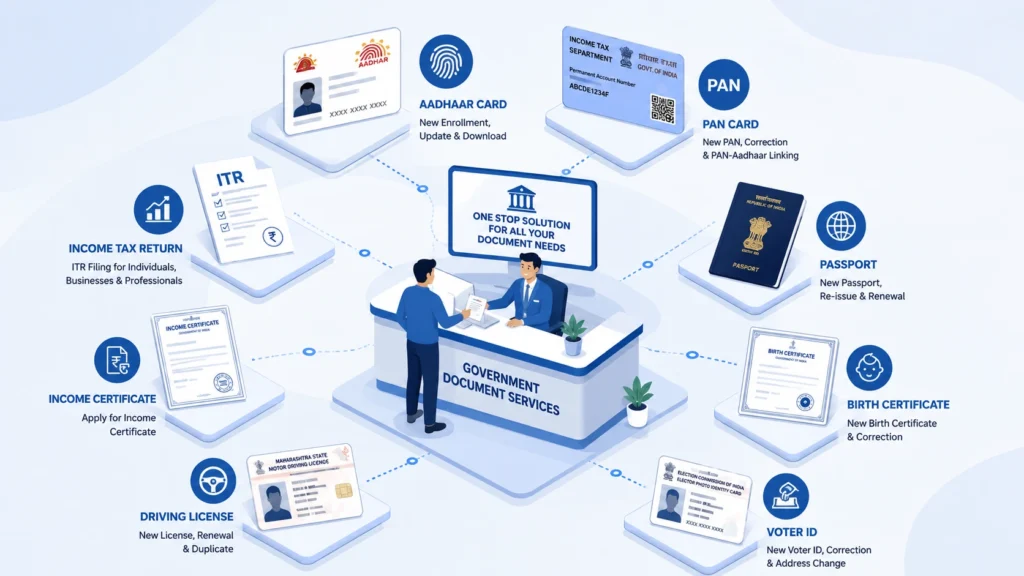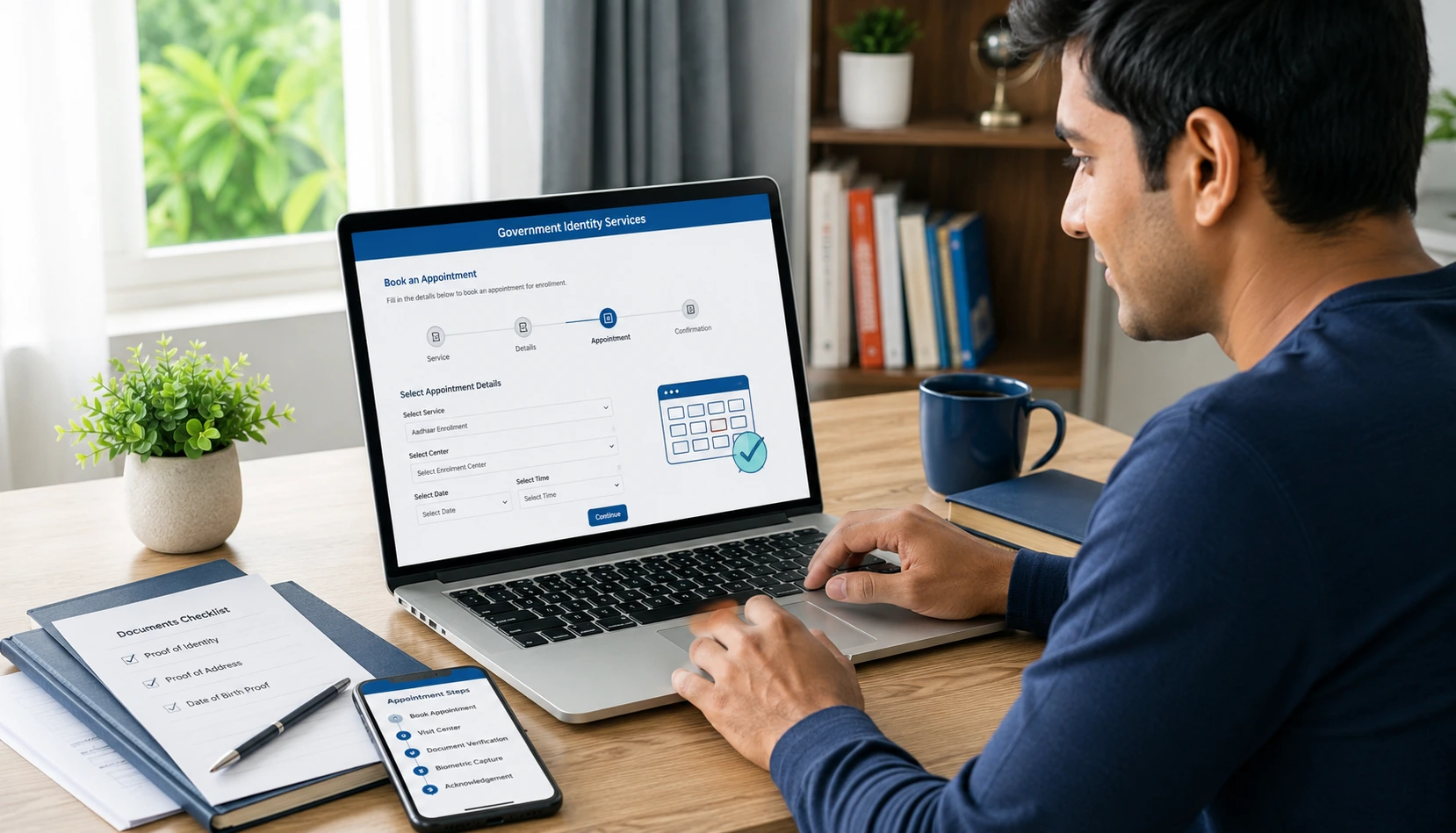
How to Apply for Aadhaar Card Online: Step-by-Step Guide

How to apply for aadhar card online is a common question for people who need Aadhaar enrolment or want to understand the application process. Aadhaar is widely used as an identity document and for accessing various government and financial services in India. If you are applying for Aadhaar for the first time, you may wonder whether the complete process can be completed online.

The great news lies in the fact that you can begin the Aadhaar enrollment process online and then review the necessary documents, and then schedule an appointment. But, Aadhaar enrolment is now undergoing a change. Aadhaar enrolment will require a visit an authorized Aadhaar Registration Centre where your biometric and demographic data is recorded. UIDAI declares that Aadhaar enrollment is completely free of cost.

In this article, Kagzi Documents explains how to apply for an Aadhaar card on the internet and what documents you’ll need and how the appointment process operates, and what you should do if you require to make an Aadhaar update.

Can You Apply for an Aadhaar Card Completely Online?

No. An Aadhaar registration can’t be done completely from your home.

You can make use of UIDAI’s online portal to help you prepare for enrollment and make an appointment however, you will require an official Aadhaar Enrolment Centre to complete the actual enrolment procedure.

In the course of enrolment, the center collects your demographic and biometric data and validates your documents supporting you. Once you have submitted your application successfully, you are issued an acknowledgement slip that contains the enrollment ID (EID) that is used to track your application.

When people look for ways to apply for aadhar card online it is important to know the fact that “online” mainly refers to making the application and scheduling an appointment. It is not about completing the full first-time enrolment online.

Who Can Apply for an Aadhaar Card?

Aadhaar registration is available to all residents who are eligible, including youngsters, subject to applicable UIDAI enrollment requirements.

UIDAI offers a variety of enrolment and documentation processes based on the particular circumstances of the applicant which includes children NRIs along with other types of applicants. The list of accepted documents for supporting documentation is kept by UIDAI.

If you’re not sure which documents will apply to your particular situation, a quick check of the most recent UIDAI document list prior to going to the center will help avoid any unnecessary delays.

How to Apply for Aadhaar Card Online

Take these actions if want to apply for an Aadhaar card on the internet..

Step 1: Check the Required Documents

Before you begin the process, make sure you have all the necessary documents.

UIDAI is a requirement for documents to support details for example:

  • Proof of Identity (PoI)
  • Proof of Address (PoA)
  • Prove of Relationship (PoR) in the event of a need
  • Evidence Of date of birth (PDB) in the event that it is applicable

The documents that are accepted differ based on the conditions of enrolment. UIDAI has an updated document list that is accepted therefore applicants must refer to the most current list of acceptable documents instead of relying solely on old online articles.

Tips: Carry the original supporting documents to the Aadhaar Enrolment Centre. UIDAI stipulates that original documents must be presented for verification purposes and then returned following the enrolment process.

Step 2: Prepare Your Aadhaar Enrolment Information

Check that your personal details are correct prior to submitting your enrollment details.

Pay special attention to:

  • Full name
  • Birth date
  • Gender
  • Address
  • Mobile number
  • Email ID, if it is applicable.
  • Information on relationships, when relevant

The name you enter should be done in a careful and consistent manner along with the document used to verify your identity. UIDAI’s guidance on enrolment also stresses that you enter your full name without titles or salutations.

A simple spelling error could cause problems when Aadhaar information is used for verification. Therefore, be sure to check the details before the final submission.

Step 3: Book an Aadhaar Appointment Online
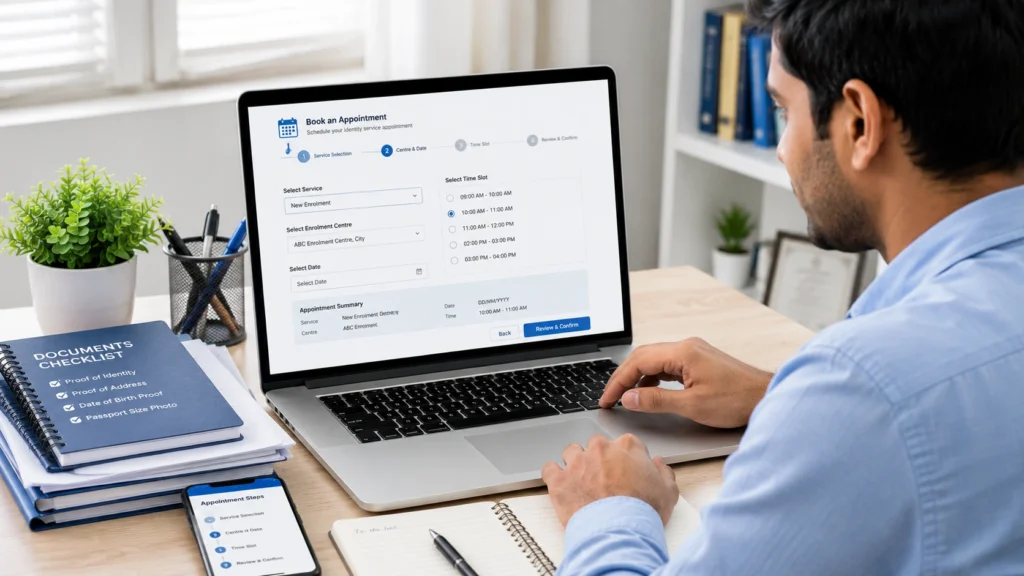
Booking an Aadhaar enrolment appointment online

One of the best online alternatives is UIDAI’s appointment service.

You can make an appointment with the Aadhaar Seva Kendra, or a identified Aadhaar Enrolment Centre for services, including the latest Aadhaar enrollment and other update services.

The basic procedure is:

  1. Visit the official UIDAI Aadhaar services website.
  2. Select the Aadhaar enrolment/appointment option.
  3. Input the required information.
  4. Select an Aadhaar-certified centre that is open.
  5. Select a day and hour.
  6. Confirm the time of appointment.
  7. Be sure to have your appointment details ready to be able to attend your appointment.

Scheduling an appointment in advance will help keep the process organized, but availability may differ depending on the centre.

Step 4: Visit the Aadhaar Enrolment Centre

When you are scheduled you must visit the Aadhaar Registration Centre with the required original documents.

The enrolment agent will collect the required information to complete the Aadhaar application. This could include:

  • Demographic data
  • Photograph
  • Fingerprints
  • Information about Iris
  • Supporting documents

UIDAI describes Aadhaar registration as a procedure that involves biometric and demographic data capture as well as document verification.

Before leaving the center Before leaving, make sure to check the acknowledgement details carefully.
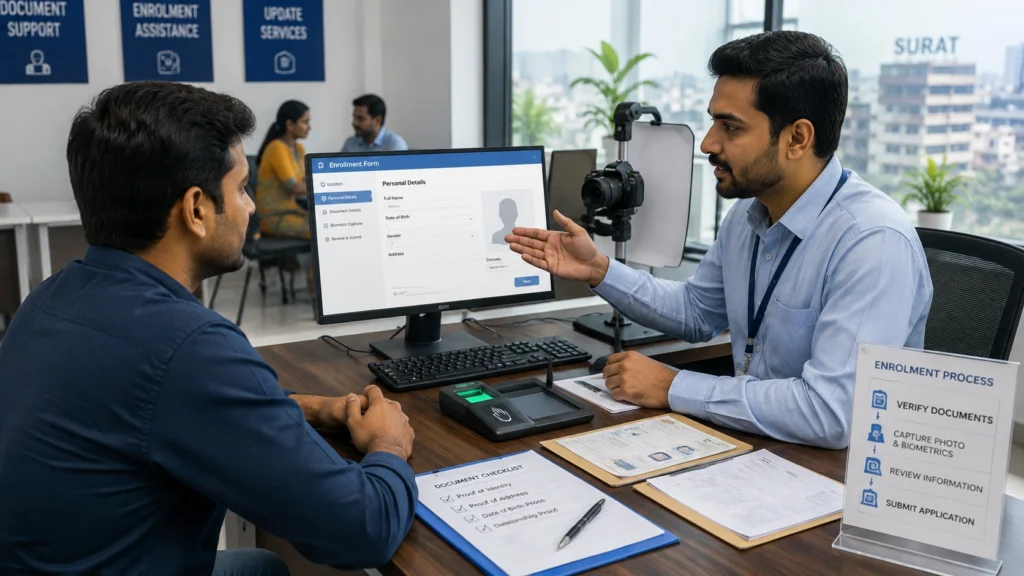
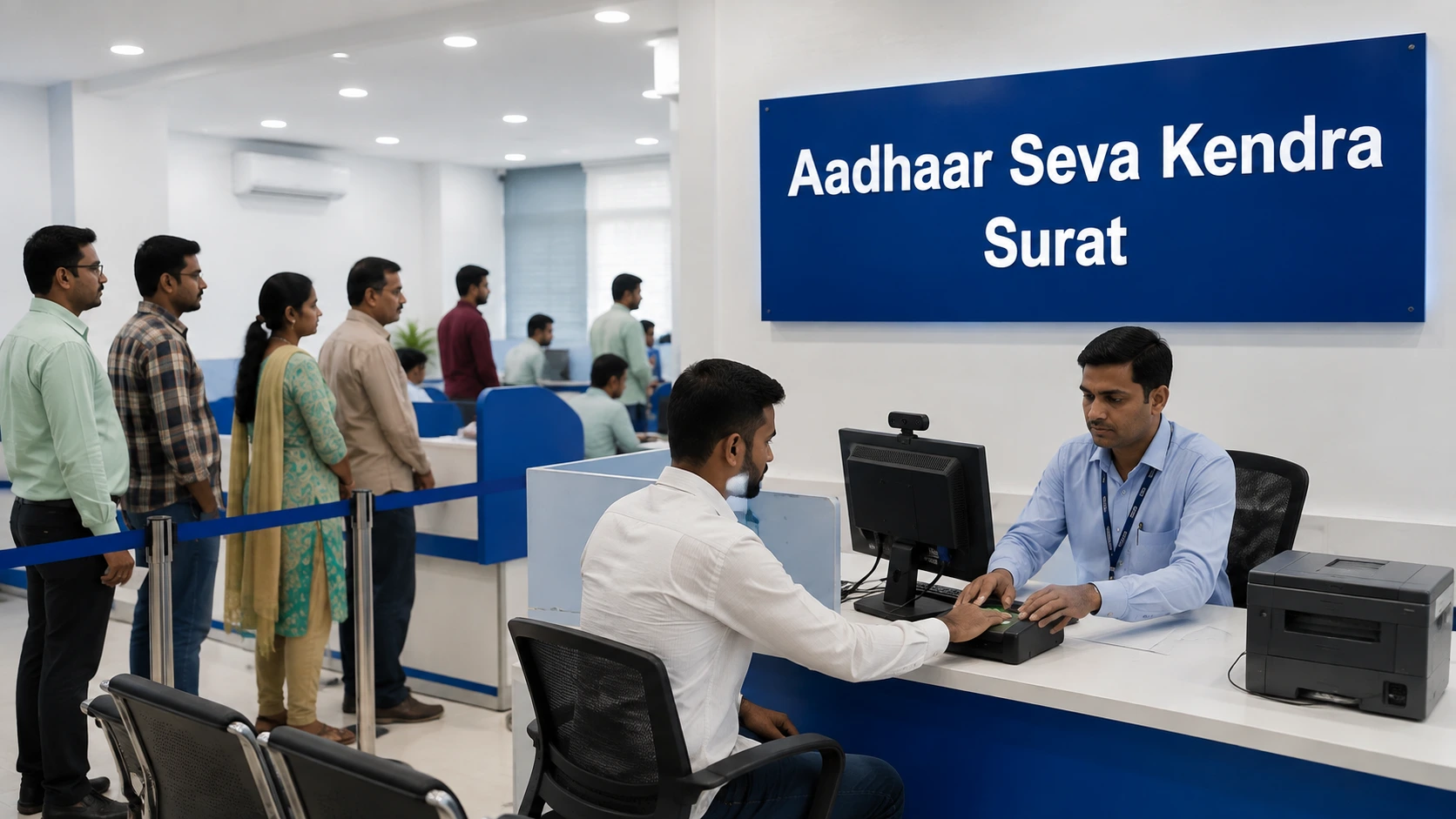
Aadhaar enrolment process at an Aadhaar centre in Surat

Step 5: Collect Your Enrolment Acknowledgement

After your enrolment request has been received, you will receive an acknowledgment with the Enrolment ID.

Save this acknowledgment in a safe place as the EID is a way to verify what is happening with your Aadhaar enrollment. UIDAI offers a web-based service for examining the status of your enrollment.

Don’t throw away the acknowledgement until you are sure that your Aadhaar enrollment is processed successfully.

Step 6: Track Your Aadhaar Enrolment Status

After you have submitted your application, you may want to check whether your Aadhaar was generated.

UIDAI’s official online service to check your enrollment status by using the appropriate details for enrolment.

The processing time can be different. UIDAI currently indicates that Aadhaar enrollment waiting times can be by up to 180 days from the receiving the enrolment information packet from the Central Identities Data Repository (CIDR).

Thus, applicants should not thinking that each Aadhaar request will get processed in the same timeframe.

What Documents Are Required for Aadhaar Enrolment?

The documentation required will vary depending on the applicant as well as the type of enrollment.

Common types of categories include:

Document CategoryPurpose
Proof of Identity (PoI)Establishes your identity
Proof of Address (PoA)Establishes your residential address
Proof of Date of Birth (PDB)The birth date is a valid support in the event that it is applicable.
Proof of Relationship (PoR)Utilized in HoF-based enrolment for applicable HoF.

UIDAI’s acceptable document list must be checked prior to visiting the center as the list and requirements may be revised.

Important Document Tip

Do not rely on random website from a third party to find the most current requirements for documents. UIDAI is the official authority accountable for Aadhaar enrollment and manages the official information on supporting documents.

This is especially important when your situation involves the child, NRI enrolment, Head of Family (HoF)-based enrollment, or specific documentation requirement.

How to Make Aadhaar Card for a Child?

Parents and guardians might require Aadhaar enrollment services for children.

The process of enrolment and the documentation requirements may differ depending on the child’s age and situation. UIDAI offers specific guidelines for children, and specific documentation requirements for certain classes.

If you’re applying for an infant’s Aadhaar be sure to check the current UIDAI requirements prior to visiting the center and bring the relevant original documents.

Can You Apply for Aadhaar Address Update Online?

Yes. This differs from the first Aadhaar enrollment.

UIDAI offers online services for certain Aadhaar-related demographic services which include update of addresses. Address update online requires authorization using the linked mobile number, as well as a supporting address proof if applicable.

This distinction is crucial:

New Aadhaar enrollment: Centre visit required to enroll and verify biometrics.

Certain updates to Aadhaar: Some services can be completed or initiated online, based on the service and the current UIDAI guidelines.

Always verify the current availability of services prior to starting the process of submitting an upgrade request.

How to Change Aadhaar Surname Online?

Many people look for Aadhar card name change on the internet after marriage or a legally-authorized name modification.

Updates to names are subject to the UIDAI’s relevant regulations and document requirements. UIDAI declares that minor updates to names are available by presenting a valid and acceptable document. However, larger name changes might require additional documentation and center-based processing.

For instance, if you’re looking to change your name, first make sure that the supporting document is accepted under UIDAI’s current UIDAI listing of documents.

If the request for change can’t be made through the online option, you may have to visit an Aadhaar Registration/Update Centre.

Never upload or send documents just because it is on an old site or social media posting. Always verify the current acceptable-document list available from UIDAI.

Common Mistakes to Avoid When Applying for Aadhaar

If you apply for an Aadhaar card tiny mistakes could cause a lot of hassle. Remember these things:

1. Entering Incorrect Personal Information

Verify your name, date of birth, and address with care prior to submitting.

2. Taking the Wrong Documents

Be sure that your documents comply with the current UIDAI specifications.

3. Ignoring Original Documents

In order to enroll in a centre-based program, you must carry the original documents required to verify.

4. Applying Multiple Times

UIDAI recommends that residents be enrolled only once. Multiple enrollments can lead to being rejected unless UIDAI specifically advises against it.

5. Confusing Enrolment With Updating

If you have already An Aadhaar number, you’ll require the Aadhaar updating service rather than a brand new enrollment.

Need Help With Aadhaar Services in Surat?

Knowing what it takes to fill out an application online for Aadhar credit card on the internet is easy when you understand which steps can be done on the internet and which require an appointment at a center.

If you live located in Surat and require assistance in Aadhaar enrollment and document preparation or appointment guidance, or any other Aadhaar related services, please reach out to Kagzi Documents to get assistance from a professional.

Our team will help you learn about the process, locate the required documentation, and walk you through the steps. The process is not complete, however. Aadhaar enrollment and acceptance are subject to UIDAI’s official process of verification as well as processing.

To get local assistance, look into the “Aadhaar Card Centre in Surat.”

If you need assistance in obtaining passport-related documents and help with application, look into our Passport Agent in Surat.

Final Words

If you’re looking on how to apply for an Aadhar card via the web Remember the most important factor: the preparation and appointment process can be done on the internet, but Aadhaar registration requires a valid central visit for biometric capture and verification of documents.

The best way to ensure your safety is to review the latest UIDAI requirements, make the proper documents, schedule an appointment when it is available and thoroughly check all the information prior to completing the enrolment.

Residents of Surat who require professional assistance, Kagzi Documents can assist in the process of completing your documentation and guide you through the procedures required. When it comes to official requirements, you should always make sure you are using the most recent information released by UIDAI.

Frequently Asked Questions

Do I have to make an application for an Aadhaar card entirely on the internet?

No. You are able to prepare for enrolment and schedule an appointment online, however the first time you enroll in Aadhaar is required to visit an authorized enrolment facility to take biometrics and demographics.

Is Aadhaar enrolment free?

Yes. UIDAI declares that Aadhaar registration is no cost.

Do I have to apply for Aadhaar without having to visit a center?

For new enrollment it is necessary to visit a center. necessary since the process of enrolment involves biometric capture as well as verification of documents.

Do I have the ability to update my Aadhaar number online?

Yes. UIDAI offers an online update of address facility that is subject to relevant requirements and the rules for supporting documents.

Can I change my surname in Aadhaar?

Name changes can be made according to UIDAI’s update rules. Based on the type of change as well as any supporting documents that are available the applicant may have to go to an Aadhaar Enrolment/Update Center.

How do I verify my Aadhaar registration status?

You can utilize the official UIDAI Aadhaar services to verify your the status of your enrollment with the help of your enrolment details.
How to Change Address on Driving Licence: Step-by-Step Guide

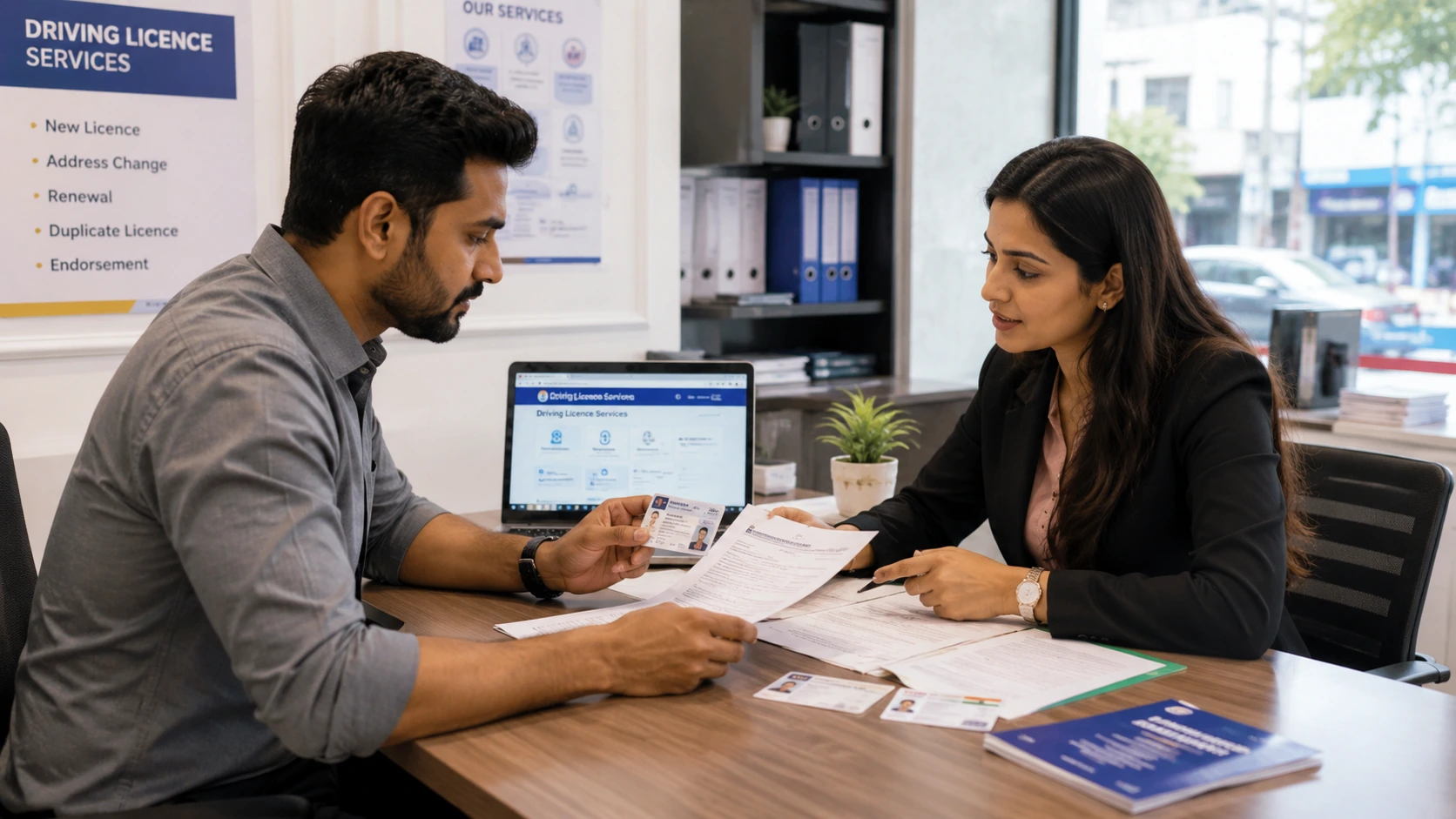
Moving to a new home, shifting to a different city for work, or getting married and relocating — there are plenty of reasons your address might change after you get your driving licence. What many people don’t realise is that an outdated address on your driving licence isn’t just a minor detail. It can cause problems during traffic checks, insurance claims, or verification for other government documents. The good news is that updating your address is a fairly simple process, and in most cases, you don’t even need to visit the RTO in person.

This guide walks you through everything you need to know about how to change address on driving licence — the required documents, the online and offline methods, fees, processing time, and common mistakes to avoid. We’ll also cover a few related topics like two wheeler license address updates, driving licence online apply steps, and what to do if you’re based in Surat and want local assistance.

Why You Need to Update Your Address on a Driving Licence

Your driving licence isn’t just proof that you can drive — it’s one of the most widely accepted identity documents in India. Keeping the address on it accurate matters for a few reasons:

  • It’s a legal requirement under motor vehicle rules to keep your licence details current.
  • Traffic authorities, insurance companies, and other institutions rely on the address printed on your licence for verification.
  • If you’ve relocated permanently, having the old address can create confusion during renewals, duplicate licence requests, or even challans.
  • If you’ve moved to a different state, some other RTO-related services may ask for a No Objection Certificate (NOC) tied to your current jurisdiction.

Whether you’ve simply moved a few localities away or shifted states entirely, updating your address keeps your records clean and avoids last-minute hassles later.

Types of Driving Licences and Where Address Change Applies

Before jumping into the process, it helps to understand the different types of licences, since the address-change process is sometimes confused with renewal or duplicate licence requests.

Learning Licence

A learning driving licence is a temporary licence issued to beginners before they qualify for a permanent one. It has a limited validity period, and since it’s short-term, RTOs don’t always treat address updates on it the same way as they do for a permanent licence. In most cases, it’s easier to get the address corrected on your permanent licence once it’s issued.

Permanent Driving Licence

This is the long-term licence most people hold, and it’s where the vast majority of address-change requests apply. If you’ve relocated after receiving your permanent licence, this is the document you’ll be updating.

Two-Wheeler Licence

A two wheeler license is simply a licence issued for a specific vehicle class (motorcycles/scooters). The address-change process is identical to that for a four-wheeler or combined licence — the vehicle class doesn’t affect how you update your address, only which category is listed on the card itself.

Driving Licence Address Change (as a service)

It’s worth noting that “address change” is treated as a distinct RTO service — separate from renewal, duplicate licence issuance, or adding a new vehicle class. When you apply, you’ll usually see it listed as its own option on the portal, so you don’t need to worry about accidentally triggering a renewal or reissue process.

Online vs Offline Methods to Change Address on Driving Licence

There are two broad ways to get your address updated, and which one applies to you often depends on your state and whether you can complete Aadhaar-based verification.

Online Method (via the Parivahan Portal)

For most states, driving licence online apply services now cover address changes as well. If your Aadhaar details are linked and updated with your correct address, some states allow you to complete the entire process digitally through e-KYC, without uploading separate documents or visiting the RTO at all.

Offline Method (Visiting the RTO)

Some states, or certain cases where document verification is needed, still require an in-person visit. This usually involves submitting a physical application form along with your address proof, and in some cases, appearing for biometric or photograph verification at the RTO counter.

If you’re unsure which method applies to your state, checking the official Parivahan portal first will save you a trip to the RTO.

Documents Required for Driving Licence Address Change

Regardless of whether you go online or offline, keep these documents ready:

  • Proof of new address — utility bill, rent agreement, updated Aadhaar card, passport, or bank statement
  • Original driving licence
  • Recent passport-size photograph
  • Aadhaar card (required for e-KYC-based address updates in states that support it)
  • Application form (commonly Form 33, though this can vary slightly by state)
  • No Objection Certificate (NOC), if you’ve moved from one state’s RTO jurisdiction to another

Having scanned copies (for online applications) or physical photocopies (for offline visits) ready in advance speeds things up considerably.

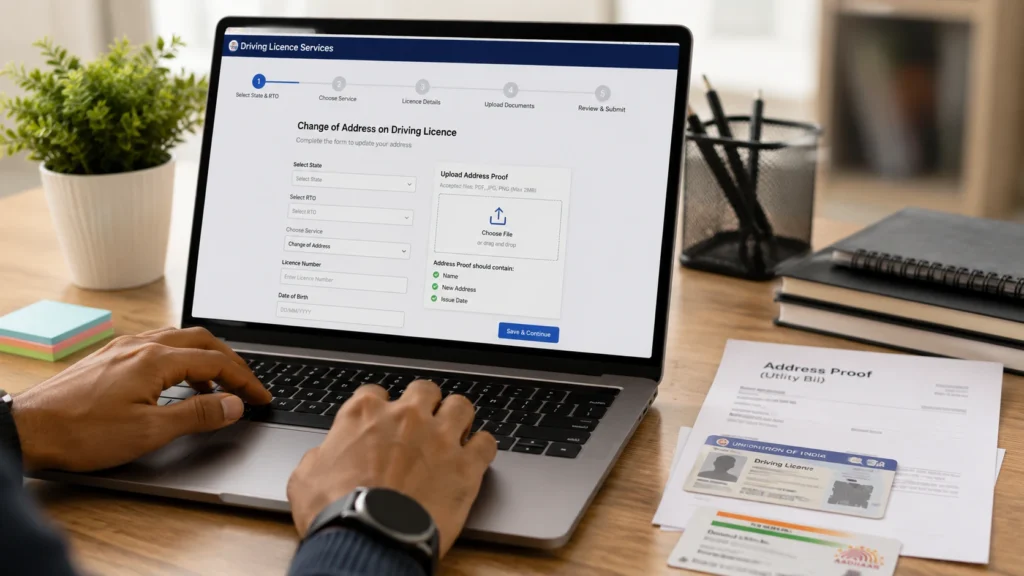
How to Change Address on Driving Licence Online: Step-by-Step Guide

Online driving licence address change application process

Here’s how the process generally works on the Parivahan portal:

Step 1 — Visit the Official Parivahan Portal Go to the official Sarathi/Parivahan website — this is the government’s official portal for all driving licence–related services, and it’s the only place you should be entering your licence details.

Step 2 — Select “Driving Licence Related Services” From the homepage, choose the option for driving licence services.

Step 3 — Choose Your State and RTO Select the state and the specific RTO under which your licence was issued.

Step 4 — Select the “Change of Address” Option Look for the address-change service specifically, rather than renewal or duplicate licence options.

Step 5 — Enter Your Licence Number and Date of Birth This verifies your identity and pulls up your existing licence record.

Step 6 — Fill the Application Form and Upload Address Proof Enter your new address exactly as it appears on your proof document, and upload clear scans.

Step 7 — Pay the Applicable Fee Online Fees can be paid via net banking, debit/credit card, or UPI, depending on the state portal.

Step 8 — Complete Aadhaar e-KYC or Book an RTO Appointment If your state supports e-KYC, you may be able to finish the process fully online. Otherwise, you’ll be asked to book a slot for RTO verification.

Step 9 — Save Your Acknowledgement/Application Number This number is essential for tracking your application status later, so note it down or take a screenshot.

How to Apply for Driving License Address Change via Aadhaar e-KYC

In states where this facility is available, the process is even simpler. If your Aadhaar address is already updated and linked, you may be able to complete the address change without uploading a separate proof document — the system verifies your new address directly through Aadhaar.

This option isn’t uniform across India, so when figuring out how to apply for driving license address updates in your specific state, it’s worth checking the Parivahan portal to confirm whether e-KYC is supported for your RTO.

How to Track Your Driving Licence Address Change Application Status

Once you’ve submitted your application, you can track it as follows:

  1. Go to the Parivahan portal’s “Application Status” section.
  2. Enter your application number and other requested details (like your licence number or date of birth).
  3. The portal will show you the current stage of processing.

Many states also send SMS or email updates as your application moves through verification. If your status hasn’t changed for an unusually long time, it’s worth reaching out to the concerned RTO directly.

Fees and Processing Time for Address Change on Driving Licence

Fees for address change vary from state to state and are revised periodically, so rather than quoting a fixed number that could quickly go out of date, it’s best to check the current fee directly on the Parivahan portal or your state transport department’s website at the time of applying.

Processing time also varies — it typically ranges from a few working days to a couple of weeks, depending on:

  • Whether you’re using Aadhaar e-KYC (usually faster) or manual document verification
  • RTO appointment availability in your area
  • The specific workflow followed by your state

If your application seems to be taking longer than the usual range for your state, checking the status online or contacting the RTO is the best next step.

Common Reasons for Rejection or Delay in Address Change Applications

A number of small errors can hold up your application. Common culprits include:

  • Mismatch between the address entered in the form and the address proof document
  • Expired or invalid address proof
  • Aadhaar details not updated or linked correctly
  • Incomplete or improperly filled application forms
  • Pending traffic fines or challans linked to the licence
  • Jurisdiction mismatch — applying without the required NOC after an inter-state move

Double-checking your documents and form entries before submission avoids most of these issues.

Common Problems & Solutions

Problem: Application Stuck in “Pending” Status Solution: Contact the RTO helpline for your jurisdiction and confirm that all uploaded documents were received and are legible.

Problem: Aadhaar e-KYC Keeps Failing Solution: First update your address on Aadhaar through UIDAI’s portal, then retry the driving licence address change.

Problem: Wrong RTO Selected During Application Solution: Depending on the stage of your application, you may need to contact the RTO to correct the jurisdiction, or in some cases, reapply from the correct RTO.

Problem: No RTO Appointment Slots Available Solution: Keep checking the portal periodically, as slots open up regularly, and confirm whether a nearby RTO within the same jurisdiction offers earlier availability.

Driving Licence Address Change Services in Surat

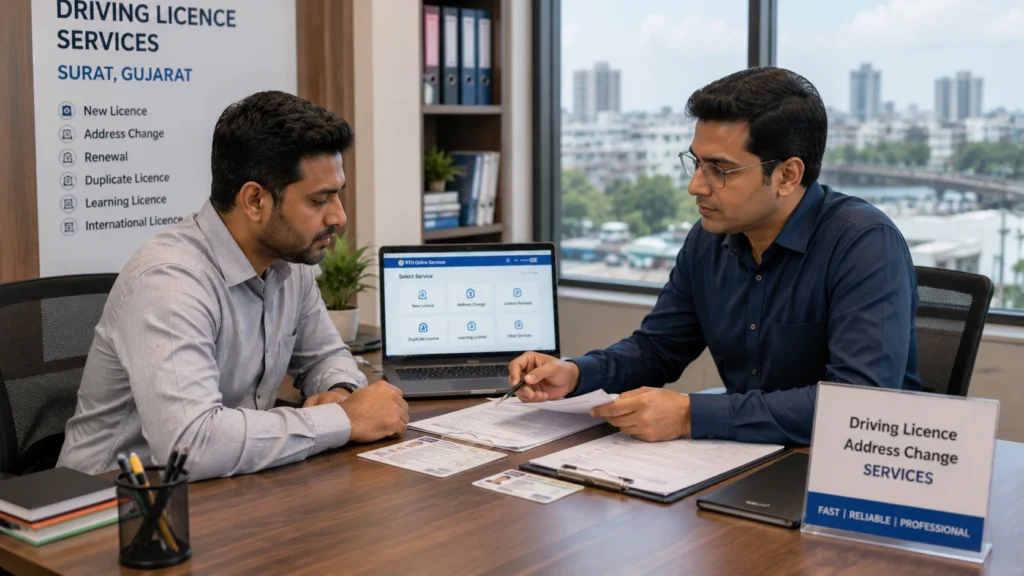
Driving licence address change services in Surat

If you’re searching for driving licence Surat services because you’ve recently relocated — whether within Gujarat or from another state — you can apply for your address change either online through the Parivahan portal or by visiting your respective RTO office in the city.

That said, between selecting the correct RTO, arranging the right address proof, and following up on delayed applications, the process can get time-consuming for people juggling work and daily routines. This is where Kagzi Documents comes in — helping Surat residents handle their driving licence address change, along with other RTO and government document paperwork, without the back-and-forth.

Learning Licence vs Permanent Licence: Does Address Change Apply to Both?

Since a learning driving licence is valid for a limited period, most RTOs recommend waiting until your permanent licence is issued before formally updating your address — since you’ll need to submit fresh documents for the permanent licence application anyway. If your learning licence is still valid for a while and you need the address corrected urgently, check with your local RTO on whether an interim update is possible.

Tips to Avoid Delays When Changing Your Driving Licence Address

  • Update your Aadhaar address first, if you plan to use e-KYC verification
  • Make sure document scans are clear, correctly sized, and in the accepted file format
  • Apply for the address change well before your licence is due for renewal
  • Confirm your correct RTO jurisdiction before starting the application
  • Keep your acknowledgement number safe until the process is fully complete

Conclusion

Knowing how to change address on driving licence doesn’t have to be complicated. For most people, the entire process — from document upload to Aadhaar e-KYC — can now be completed through the driving licence online apply system, without a single RTO visit. Keep your documents ready, double-check your details before submitting, and track your application status regularly to avoid unnecessary delays.

If you’d rather not deal with the paperwork and portal navigation yourself, Kagzi Documents offers dedicated assistance for driving licence services in Surat — from address changes to renewals and other RTO formalities — so you can get it done without the hassle.

Frequently Asked Questions

How can I change my address on my driving licence online?

You can apply through the official Parivahan portal by selecting the “Change of Address” service under driving licence–related services, uploading your address proof, and completing Aadhaar e-KYC where available.

What documents are required to change address on a driving licence?

You’ll typically need your original driving licence, a valid address proof (utility bill, rent agreement, updated Aadhaar, etc.), a passport-size photograph, and an NOC if you’ve moved to a different state.

Can I change my driving licence address without visiting the RTO?

Yes, in many states, if your Aadhaar is linked and updated, you can complete the entire address change process online through e-KYC without visiting the RTO.

How long does it take to update the address on a driving licence?

Processing time varies by state and verification method, typically ranging from a few working days to a couple of weeks.

What are the fees for changing the address on a driving licence?

Fees vary by state and are revised periodically, so it’s best to check the current amount on the official Parivahan portal or your state transport department’s site before applying.

Can I update my two wheeler license address the same way as a four-wheeler licence?

Yes, the address-change process is the same regardless of vehicle class — only the licence category listed differs.

If I’ve moved to a different state, do I need an NOC to change my address?

In most cases, yes — an NOC from your previous RTO jurisdiction is required when applying for an address update after an inter-state move.

How do I check the status of my driving licence address change application?

You can track it using your application number on the Parivahan portal’s application status page.

Why is my driving licence address change application getting rejected or delayed?

Common reasons include document mismatches, expired address proof, Aadhaar linking issues, incomplete forms, or unresolved traffic fines.

Where can I get help with driving licence services in Surat?

Kagzi Documents provides assistance with driving licence address changes, renewals, and other RTO-related paperwork for residents in Surat.

Passport Renewal Process: Step-by-Step Guide for a Smooth Renewal

If your passport is nearing expiry, has already expired, or you’re simply applying for a renewal for the first time, understanding the passport renewal process in advance can save you a lot of last-minute stress. Many travel plans and visa applications require your passport to have at least six months of validity remaining, which means waiting until the last moment to renew can create avoidable complications.

The good news is that the process has become significantly more streamlined thanks to the online Passport Seva system, which allows applicants to fill out forms, pay fees, and book appointments digitally before visiting a center in person for verification. In this guide, we’ll walk through the complete passport renewal process — from checking eligibility to receiving your new passport — along with details on required documents, processing timelines, the Tatkal option, and what applicants in Surat should know. Kagzi Documents has put this guide together to help you navigate each step with clarity and confidence.

What Is the Passport Renewal Process? (Renewal vs Re-issue)

The term “passport renewal” is commonly used, but on the official application portal, this falls under the “Re-issue of Passport” category. It’s worth understanding the distinction:

  • Renewal generally refers to replacing a passport that is expiring or has expired, with no other changes to personal details.
  • Re-issue is the broader category that also covers situations involving a change in personal details — such as a new address, a name change after marriage, a damaged passport, or a lost passport.

Both scenarios are processed through the same “Re-issue” application type, but the documents and steps required can differ slightly depending on your specific situation. Knowing which category applies to you before you start will help you gather the right paperwork the first time.

When Should You Start the Renewal Process?

It’s generally advisable to begin the passport renewal process a few months before your passport’s expiry date, rather than waiting until the last minute. Airlines and immigration authorities in many countries require a minimum remaining validity (commonly six months) for international travel, so an expiring passport can affect travel plans even if it’s technically still valid. Starting early also gives you a buffer in case additional documentation or police verification is needed.

Step-by-Step Passport Renewal Process

Here’s a clear breakdown of how the passport renewal process works from start to finish.

Step 1: Check Passport Validity and Eligibility

Before applying, check your current passport’s expiry date and confirm whether your situation falls under a straightforward renewal or a re-issue involving a change of details. This affects which forms and annexures you may need.

Step 2: Create or Log In to Your Passport Seva Account

If you’re applying for the first time, you’ll need to register on the official Passport Seva Online Portal. Returning applicants can simply use their existing passport login credentials to access their account and start a new application without re-registering.

Step 3: Complete the Online Application Form

Once logged in, select the “Re-issue of Passport” option and fill in your personal details, address, and passport particulars carefully. Since much of this process can be done remotely, many applicants are able to renew passport online up until the point where an in-person appointment becomes necessary.

Step 4: Pay the Applicable Fee

After completing the form, you’ll need to pay the applicable fee online through the portal. Fees vary depending on factors such as passport booklet type, validity period, and whether you’re opting for normal or Tatkal processing. Since fee structures are periodically revised, it’s best to check the current fee chart on the official portal at the time of application.

Step 5: Book a Passport Seva Kendra Appointment

Once payment is confirmed, you can proceed to schedule your visit. Slot availability for a Passport Seva Kendra appointment can vary by location and time of year, so it helps to check for open slots regularly and book as soon as one becomes available near you.

Step 6: Visit the Appointment Center

On the day of your appointment, arrive with your original documents along with self-attested photocopies, your appointment confirmation, and a valid photo ID. Arriving a little early helps you complete the token and entry formalities without rushing.

Step 7: Document Verification at the Counter

At the center, your documents will be verified at different counters, and your biometric details (photograph and fingerprints) will typically be captured as part of the process. Having your paperwork organized in advance makes this step much quicker.

Step 8: Police Verification (If Applicable)

Depending on your application category and personal history, police verification may be required either before or after your passport is issued. Not everyone requires the same type of verification, so it’s worth understanding which category applies to your case based on the guidance provided during application.

Step 9: Passport Processing

Once your application clears the verification stage, it moves to processing at the relevant Regional Passport Office. This is where your passport booklet is prepared for printing.

Step 10: Passport Printing and Delivery

After processing, your new passport is printed and dispatched, usually via India Post/Speed Post, to your registered address. You can track the shipment once a dispatch reference is available.

Passport Renewal Documents You Will Need

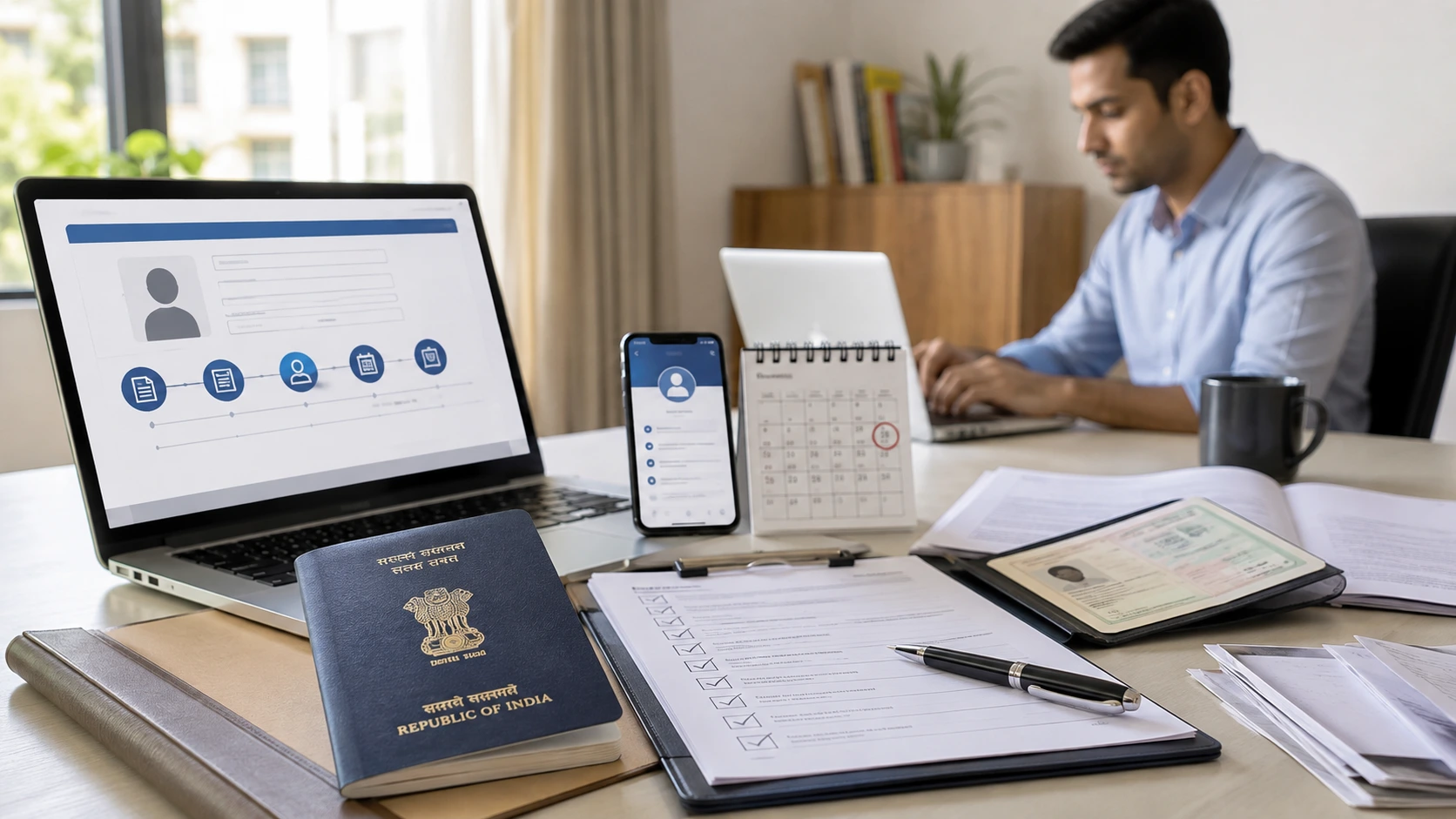
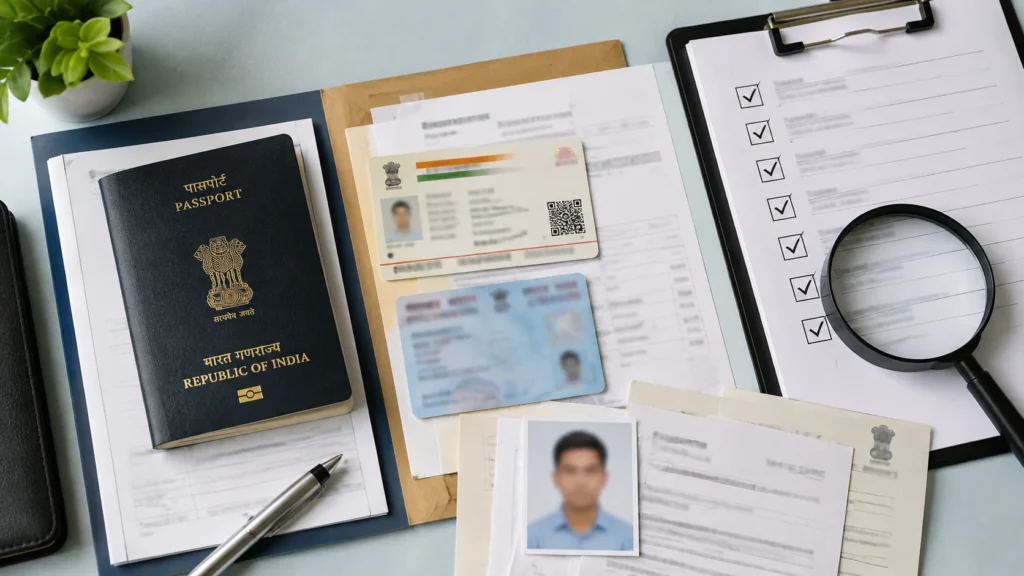
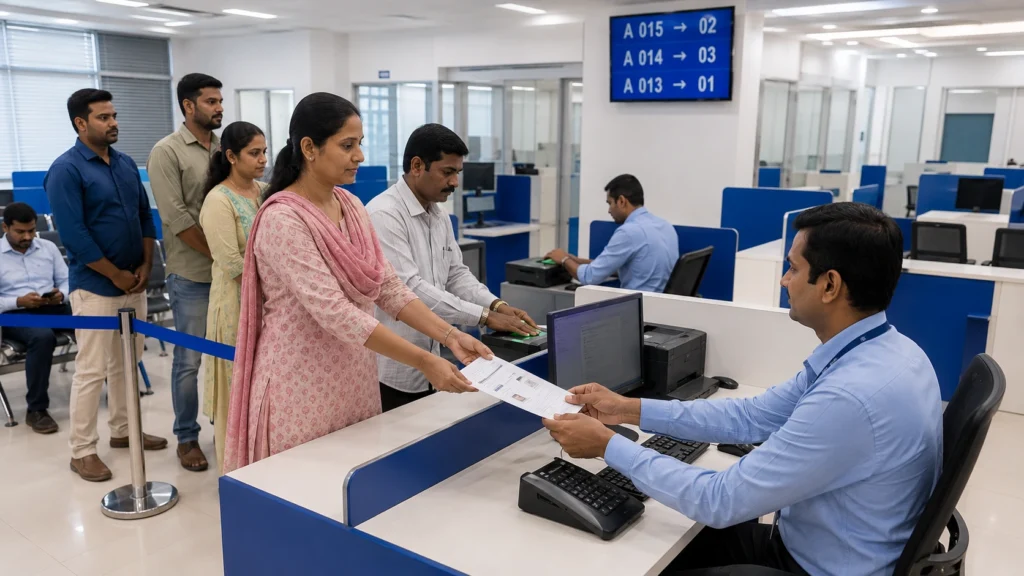
Passport renewal documents and photo requirements arranged for verification

Having the right passport renewal documents ready before your appointment can prevent delays. Commonly required documents include:

  • Your existing (old) passport
  • Proof of current address (if different from what’s on your existing passport)
  • Proof of date of birth
  • A valid government-issued ID such as Aadhaar

Additional Documents for Special Cases

Depending on your situation, you may need to submit additional paperwork:

  • Name change: Marriage certificate, gazette notification, or a supporting affidavit
  • Address change: Updated utility bill, rental agreement, or Aadhaar with the new address
  • Minors’ passports: Additional parental documentation and consent forms

It’s a good idea to review the latest document checklist on the official portal before your appointment, as requirements can be updated from time to time.

Passport Photo Requirements for Renewal

One common point of confusion is whether applicants need to carry printed photographs. Under the current process, photographs are typically captured live at the Passport Seva Kendra as part of your appointment, meaning most applicants do not need to bring printed passport photos. That said, passport photo requirements can be updated, so it’s worth confirming the latest guidance on the official portal or during your appointment confirmation. If a photo is needed for any reason, general expectations include a plain background, no headwear (except for religious reasons), and a recent, clear likeness.

Passport Processing Time — What to Expect

Passport processing time can vary based on several factors, including the type of application (normal or Tatkal), whether police verification is pending or already on record, and the overall volume of applications being processed at a given time. While normal applications typically take longer than Tatkal ones, there’s no fixed guarantee on exact days, since individual cases can be affected by document discrepancies or additional verification needs. It’s best to treat any timeline as an estimate rather than a fixed promise.

What Is Tatkal Passport Service and When Should You Consider It?

The Tatkal passport service is a faster-track application option designed for applicants who need their passport sooner than the standard timeline allows. Compared to the regular process, Tatkal applications:

  • Involve an additional fee on top of the standard passport fee
  • May have a different, often shorter, verification approach in many cases
  • Still require document verification and, where applicable, police checks

Tatkal is often considered by travelers with an upcoming trip, those who have lost their passport and need a replacement urgently, or applicants facing time constraints for other reasons. However, it’s important to understand that Tatkal doesn’t guarantee same-day issuance — it simply prioritizes your application within the available process. Eligibility and outcomes can still depend on your specific documentation and verification category.

Passport Renewal Assistance in Surat

Passport renewal assistance in Surat with document and appointment guidance

If you’re based in Surat, there are a few things worth knowing about accessing passport services locally. The city is served by Passport Seva Kendra and Post Office Passport Seva Kendra centers, and demand for appointment slots can be high, especially during peak travel seasons.

Booking a Passport Seva Kendra Appointment from Surat

When trying to secure a Passport Seva Kendra appointment in Surat, it helps to have your application and payment completed in advance so you’re ready to grab a slot as soon as one opens up. Slot availability is refreshed periodically, so checking at different times of day can improve your chances. Keeping your documents organized beforehand also reduces the risk of needing to reschedule due to missing paperwork.

For applicants who’d prefer guided support through this process, Kagzi Documents offers passport application assistance in Surat, helping with everything from form accuracy to appointment scheduling support.

Common Mistakes to Avoid During Passport Renewal

Avoiding these common pitfalls can help your application move more smoothly:

  • Submitting incomplete or mismatched address proof
  • Inconsistent name spelling across documents
  • Missing required annexures or affidavits for special cases
  • Booking an appointment before completing the fee payment
  • Ignoring or delaying a response to police verification requests

How to Track Your Passport Renewal Application Status

Once your application is submitted, you can monitor its progress using the “Track Application Status” feature on the official Passport Seva portal. You’ll typically need your file number or application reference number to check where your application stands — whether it’s under processing, awaiting verification, or ready for dispatch.

What to Do If Your Passport Has Already Expired

If your passport has already expired, don’t worry — in most cases, it still falls under the re-issue/renewal category rather than requiring a completely fresh application. However, if your passport has been expired for an extended period, additional documentation or a different application treatment may apply. It’s best to check the specific guidance for your expiry duration before starting your application.

Passport Renewal for Specific Situations

Different circumstances call for slightly different documentation and steps within the passport renewal process.

Renewal After Address Change

You’ll need to provide updated address proof, since your new passport will reflect your current address.

Renewal After Name Change

Supporting documents such as a marriage certificate or gazette notification are typically required to reflect the updated name.

Renewal for a Damaged Passport

A damaged passport usually requires an explanation of the damage along with the original document for surrender.

Renewal for a Lost Passport

A lost passport application typically requires a police complaint copy and an affidavit, in addition to the standard documents.

Renewal for an Expired Passport

As mentioned earlier, this generally follows the standard renewal path, though longer periods of expiry may require additional steps.

When Should You Consider a Passport Agent in Surat?

Many applicants are able to complete the entire passport renewal process independently using the online portal. That said, some people prefer additional support — whether due to time constraints, unfamiliarity with the online system, or uncertainty about which documents apply to their specific case.

This is where working with an experienced Passport Agent in Surat like Kagzi Documents can be helpful. Rather than replacing the official process, this kind of support typically focuses on helping applicants fill out forms accurately, organize the correct documents, and navigate appointment scheduling — reducing the chances of avoidable errors or delays. It’s worth noting that no agent can guarantee processing timelines, as these ultimately depend on the passport authorities.

Conclusion

The passport renewal process, while detailed, becomes much more manageable once you understand each stage — from checking your passport’s validity and completing the online application, to booking your appointment, going through verification, and finally receiving your renewed passport. Staying organized with your documents and starting the process early can go a long way toward avoiding delays.

If you’re in Surat and would like support navigating any part of this process, Kagzi Documents is here to help make your passport renewal experience as smooth as possible — reach out to learn more about our passport assistance services.

Frequently Asked Questions

How does the passport renewal process work?

The passport renewal process involves checking your passport’s validity, applying online through the Passport Seva portal, paying the fee, booking an appointment at a Passport Seva Kendra, completing document verification, and receiving your new passport after processing.

What documents are required for passport renewal?

Commonly required passport renewal documents include your old passport, proof of address, proof of date of birth, and a valid ID. Additional documents may be needed for name changes, address changes, or lost/damaged passports.

How long does passport renewal take?

Passport processing time varies based on application type (normal or Tatkal) and verification requirements, so there’s no fixed universal timeline — it’s best treated as an estimate rather than a guarantee.

What is the Tatkal passport service?

Tatkal passport service is a faster-track application option for applicants who need quicker processing, involving an additional fee and a different verification approach, though it doesn’t guarantee same-day issuance.

Can I get passport renewal assistance in Surat?

Yes, Kagzi Documents provides passport renewal assistance in Surat, helping applicants with form accuracy, document preparation, and appointment scheduling support.

How can I track my passport renewal application?

You can track your application status on the official Passport Seva portal using your file number or application reference number.

What documents are required for passport renewal?

For passport renewal (re-issue), applicants generally need their existing passport in original along with self-attested copies of the required pages. Additional documents may be required depending on the reason for re-issue, such as change of address, personal details, damaged passport, or expired passport.

What is the passport renewal period in India?

A passport can be re-issued when its validity has expired or is due to expire. Passport Seva also allows re-issue for a passport whose validity expired within the prescribed period or is due to expire, depending on the application category.

What are the passport renewal verification documents?

Passport renewal verification documents depend on the application. Common documents may include the existing passport, proof of present address, identity proof, and documents supporting any requested change in personal details. The Passport Seva document advisor should be checked for the exact requirements for your case.

How to Check Application Status of Driving Licence Online (Step-by-Step Guide)

If you’ve applied for a learner’s licence or a permanent driving licence, waiting to find out where your application stands can be stressful — especially if you need your licence urgently. The good news is that you can check application status of driving licence online in just a few minutes, without visiting the RTO in person, using the official Parivahan Sewa portal.

In this guide, we’ll walk you through exactly how to check application status of driving licence, understand your driving licence delivery status, learn how to download driving licence online, and what to do if your status hasn’t updated. We’ll also cover the documents required for driving licence and how the driving licence renewal process works.

Note: Government portals and procedures are updated from time to time. Always cross-check the latest steps on the official Parivahan Sewa website before proceeding.

Quick Answer: How to Check Application Status of Driving Licence?

Here’s the short version — jump to the detailed steps below if you need more help.

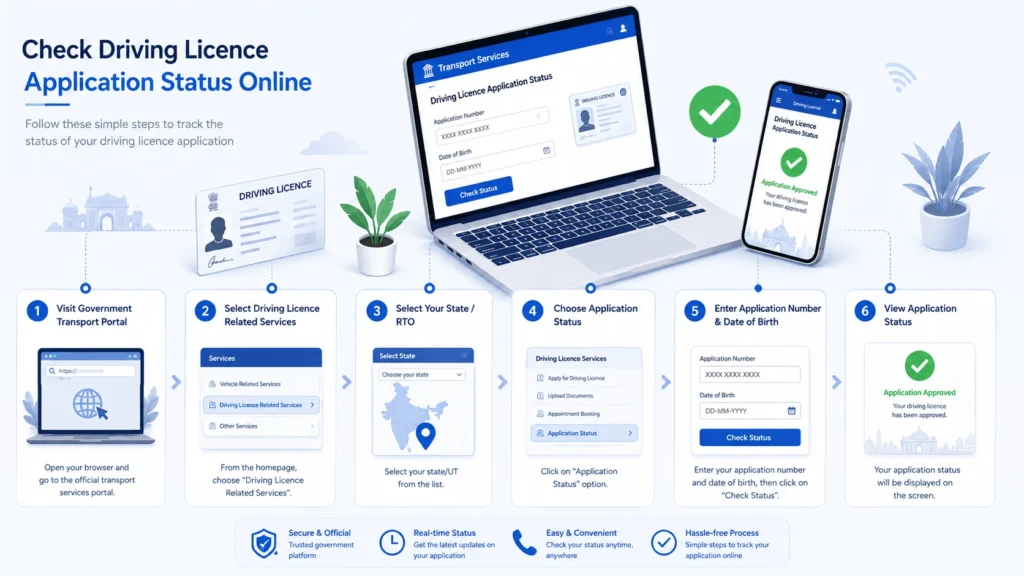
  1. Go to the official Parivahan Sewa website (parivahan.gov.in)
  2. Navigate to Driving Licence Related Services
  3. Select your state from the list
  4. Click on Application Status
  5. Enter your application number and date of birth
  6. Submit the form to view your current status

That’s it — your status should appear on screen. If it doesn’t, see the troubleshooting section further down.

Checking Your Driving Licence Application Status Online

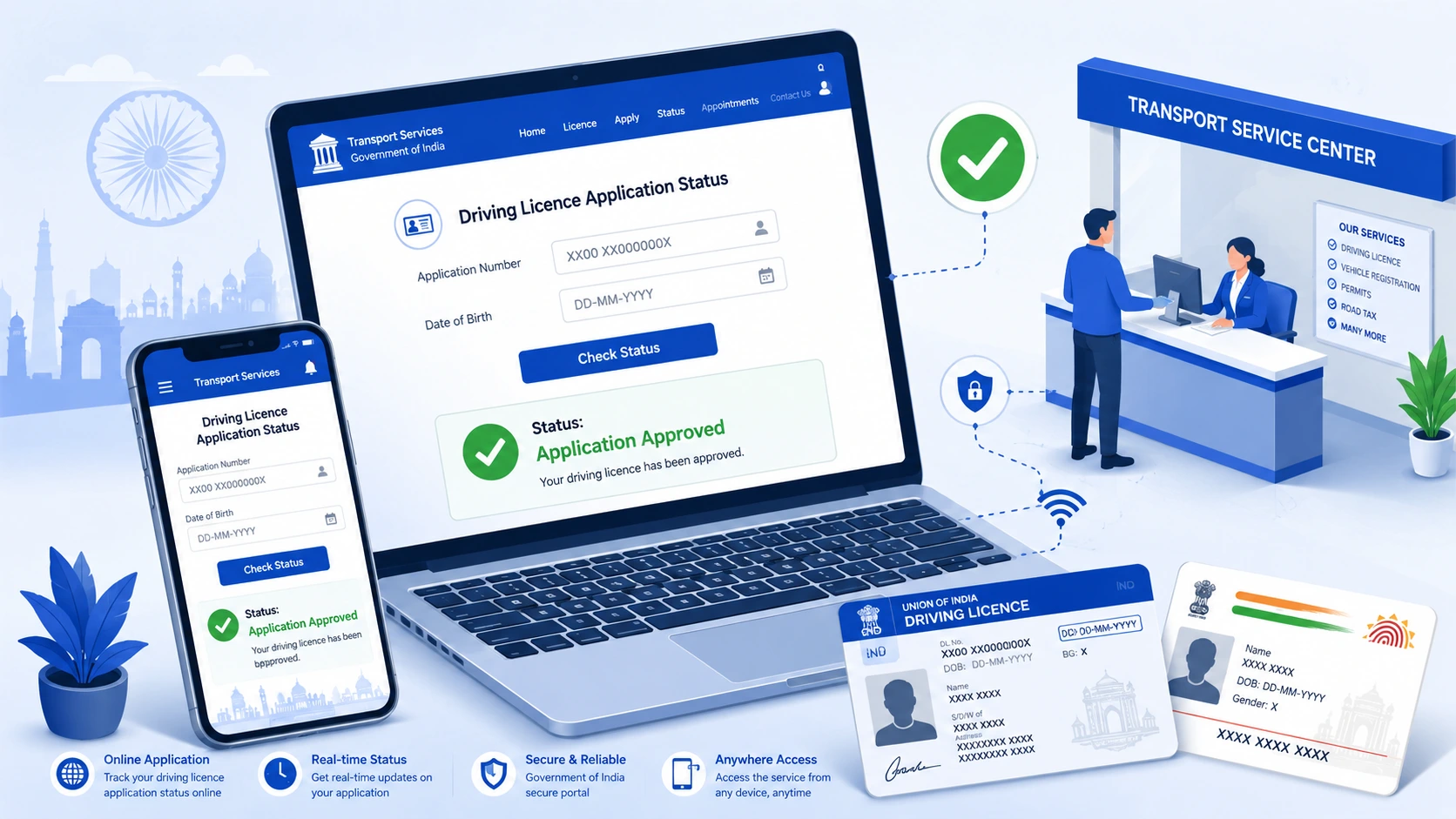
Driving licence application approved status shown on an online government transport service portal

Where to Check DL Application Status

The most reliable place for driving licence status check online is the Parivahan Sewa portal, which is maintained by the Ministry of Road Transport and Highways (MoRTH). Most state transport departments route their driving licence services through this central portal, though some states also offer their own transport department websites. You can also check certain status details through the mParivahan mobile app.

Because URLs and site layouts can change, always start from the official parivahan.gov.in domain rather than searching for third-party or unofficial sites.

Details You’ll Need Before You Start

Keep the following handy before you begin:

  • Your application number (given to you at the time of application or test)
  • Your date of birth (as submitted in the application)
  • Your DL number, if your licence has already been partially processed
  • The state where you applied

Having these ready avoids repeated failed attempts, which is one of the most common reasons people get stuck on the status page.

Step-by-Step Process to Check Status

  1. Visit parivahan.gov.in
  2. Under “Online Services,” select Driving Licence Related Services
  3. Choose your state from the dropdown menu
  4. On the next page, look for an option such as “Application Status” or “Know Your Application Status”
  5. Enter your application number and date of birth
  6. Complete any CAPTCHA verification shown
  7. Click Submit to view your current status

Your screen should then display the current stage of your application.

Understanding Different Application Status Messages

Depending on the stage your application is in, you may see messages indicating that it is under process, has been approved, is being printed, or has been dispatched. The exact wording can differ slightly between states and portals, so don’t be alarmed if the terminology on your screen doesn’t match exactly what’s described here — treat this as a general guide to the typical stages rather than official terminology.

What to Do If Status Is Not Updated

If your status hasn’t changed for an unusually long time:

  • Double-check that you entered the correct application number and date of birth
  • Allow a reasonable processing window before assuming there’s an issue — processing times vary by state and RTO workload
  • Try checking again after 24–48 hours, as portals sometimes lag in reflecting updates
  • If there’s still no movement after a reasonable period, contact your RTO directly, use the helpline listed on the Parivahan portal, or reach out to our team for guidance

How to Check Driving Licence Delivery Status

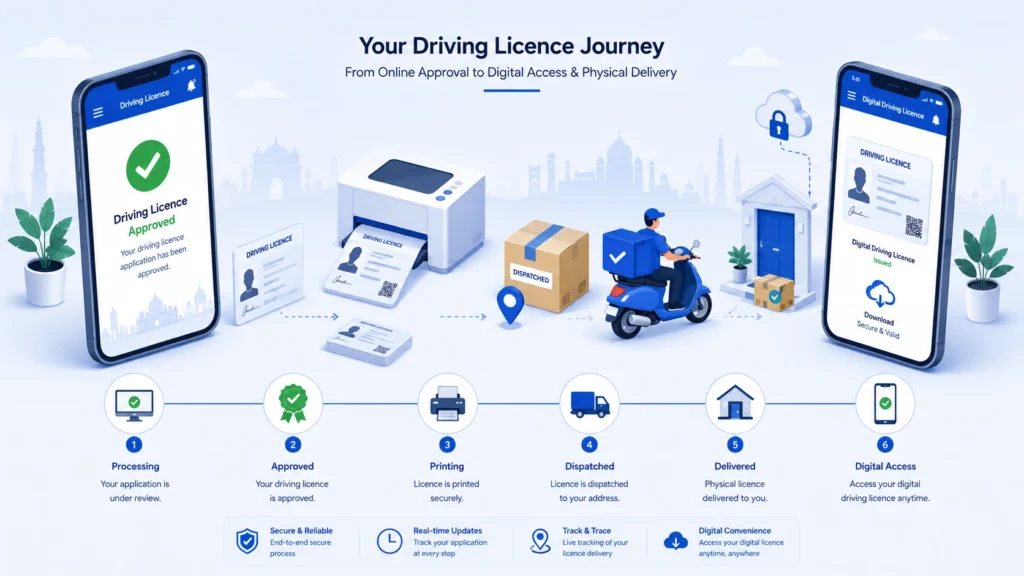
Indian driving licence journey from online approval to printing, delivery and digital access

Getting an “approved” status doesn’t always mean your physical licence card is on its way to you immediately — checking your driving licence delivery status separately can tell you where the card actually is.

In general, applications tend to move through stages like:

  • Application under processing — your documents and test results are being reviewed
  • Approved — your application has been cleared
  • Licence printing — your physical card is being prepared
  • Dispatched — the card has been handed to the courier/postal service
  • Delivered — the card has reached you
  • Pending — additional action may be needed on your part

Again, exact status labels can vary by state, so treat these as general stages rather than fixed official terms. If your card shows as dispatched but you haven’t received it after a reasonable number of days, check for a tracking or dispatch reference number on the portal, and reach out to your local RTO if there’s no update.

How to Download Driving Licence Online (Digital DL)

Even before your physical card arrives, here’s how to download driving licence online as a valid digital copy.

Downloading via DigiLocker

DigiLocker is the Government of India’s official digital document wallet. If your driving licence has been issued and linked, you can typically fetch it directly from your DigiLocker account under issued documents.

Downloading via mParivahan App

The mParivahan app, also run under the Ministry of Road Transport and Highways, allows users to view and share their driving licence details digitally in many cases.

Digital DL vs Physical Card

A digital driving licence accessed through DigiLocker or mParivahan is generally treated as a valid form of the document. However, it’s still worth keeping track of your physical card’s delivery status separately, since some situations may require the original printed card. When in doubt, check current guidance on the official portals.

Documents Required for Driving Licence

The documents required for driving licence can vary depending on your state, the type of licence (learner’s vs. permanent), and your applicant category. Broadly, applicants are usually asked to provide documents across the following categories:

Identity Proof

Common examples include Aadhar card, PAN card, passport, or voter ID — check your state’s accepted list. If your Aadhaar details need updating or verifying beforehand, you can get that sorted at an Aadhaar Seva Kendra in Surat.

Address Proof

Documents such as Aadhar card, utility bills, passport, or ration card are commonly accepted, though this varies by state.

Age Proof

Typically a birth certificate, Aadhar card, or school leaving certificate showing date of birth.

Photograph and Signature

Recent passport-size photographs and a specimen signature, as specified by the application form.

Additional Documents for Permanent Licence

If you’re applying for a permanent driving licence after holding a learner’s licence, you’ll generally need your learner’s licence details/number as part of the application.

Because requirements differ by state and applicant type, it’s best to confirm the exact list on your state’s Parivahan Sewa page before applying.

Driving Licence Renewal Process

When Should You Renew Your DL

As part of the driving licence renewal process, driving licences are valid for a set period and need to be renewed before or shortly after expiry — the exact validity period and renewal window can vary depending on your licence type and age category, so check your card and the official portal for your specific timeline.

Documents Needed for Renewal

Typically includes your existing driving licence, address proof, recent photographs, and in some cases a medical certificate — particularly for applicants above a certain age or for commercial licences.

Online Renewal Steps

Generally, renewal can be initiated through the Parivahan Sewa portal under Driving Licence Related Services, by selecting the renewal option, filling in your existing licence details, uploading required documents, and paying the applicable fee.

Renewal Fees

Fees vary depending on the type of licence and state. Always check the current fee structure on the official portal at the time of application rather than relying on previously quoted figures.

Tracking Renewal Application Status

Once submitted, you can track your renewal application the same way you’d check a fresh application — using your application number and date of birth on the Application Status page.

Common Problems While Checking DL Status (Troubleshooting)

  • Application number not found — recheck for typos, extra spaces, or an incorrect state selection
  • Status not updated for a long time — allow processing time before assuming an issue; retry after 24–48 hours
  • Incorrect details entered — verify your date of birth format and application number carefully
  • Application still under process — this is normal within the expected processing window
  • Approved but not delivered — check for a dispatch/tracking reference; delivery timelines can vary
  • Dispatched but not received — contact your local post office/courier partner if a tracking number is available, or reach out to your RTO
  • Website or server errors — try again during non-peak hours, or use the mParivahan app as an alternative
  • When to contact the RTO directly — if the online status hasn’t changed for an extended period and no tracking information is available, contacting your RTO or the Parivahan helpline is the next step

Conclusion

Checking your driving licence application status doesn’t have to involve repeated trips to the RTO — the Parivahan Sewa portal and mParivahan app put that information right at your fingertips. Whether you’re tracking a fresh application, checking your delivery status, downloading a digital copy via DigiLocker, or working through a renewal, the process is designed to be handled entirely online once you have your application number and date of birth ready.

If your status gets stuck, documents feel confusing, or you’d simply rather have someone handle the process for you, professional help can save a lot of time and back-and-forth.

Frequently Asked Questions

How can I check my driving licence application status?

You can check it on the Parivahan Sewa portal by selecting your state under Driving Licence Related Services and entering your application number and date of birth.

How can I check my DL status online without visiting the RTO?

Yes — the entire status check process can be done online through Parivahan Sewa or the mParivahan app.

How do I check my driving licence delivery status?

Once your application shows as approved, check for dispatch or tracking details on the status page, or contact your RTO if no update is visible.

How can I download my driving licence online?

You can typically access a digital copy through DigiLocker or the mParivahan app, once your licence has been issued.

How long does it take to receive a driving licence after approval?

Processing and delivery timelines vary by state and RTO workload — check the official portal or contact your RTO for current estimates.

What should I do if my DL status is not updated?

Wait a reasonable period, recheck your entered details, and if there’s still no change, contact your RTO or the Parivahan helpline.

Aadhaar Seva Kendra Surat: Complete Guide to Aadhaar Card Services, Updates & Enrollment (2026)

If you live in Surat and need to apply for a new Aadhaar card, correct an existing one, or update your address, mobile number, or biometrics, finding a reliable Aadhaar Seva Kendra in Surat is the first step. With Surat’s fast-growing population — driven by its textile, diamond, and manufacturing industries — thousands of residents and migrant workers need Aadhaar services every single day.

This guide covers everything you need to know: what an Aadhaar Seva Kendra is, the full list of services available, step-by-step processes, required documents, common problems people face, and how it compares to other Aadhaar update options. Whether you’re applying for the first time, updating your child’s Bal Aadhaar, or fixing a rejected biometric update, this guide has you covered.

What is an Aadhaar Seva Kendra? (Meaning & Purpose)

An Aadhaar Seva Kendra is an authorized enrollment and update centre set up under the guidance of the Unique Identification Authority of India (UIDAI) to help citizens with Aadhaar-related services. Unlike a bank counter or post office Aadhaar desk that offers limited services, a dedicated Aadhaar Seva Kendra typically handles the full range of enrollment and correction work — from biometric capture to document verification — under one roof.

It’s important to understand the difference between the three common access points:

  • Aadhaar Seva Kendra – A dedicated centre offering the widest range of services, including new enrollment, biometric updates, and demographic corrections.
  • Aadhaar Enrollment Centre – Often smaller, sometimes limited to specific services like new enrollment only.
  • Bank/Post Office Aadhaar Counter – Usually restricted to basic updates and may have long waiting times due to limited dedicated staff.

Why Aadhaar Seva Kendra Matters for Surat Residents

Surat is home to a large workforce from across Gujarat and other states, many of whom relocate for work in the diamond and textile industries. This means a constant need for address updates, new enrollments, and document corrections. A local, accessible Aadhaar Seva Kendra in Surat saves residents from traveling long distances or facing uncertainty about which centre offers which service — a common frustration reported by first-time applicants and migrant workers alike.

Services Offered at Aadhaar Seva Kendra Surat

A full-service Aadhaar Seva Kendra in Surat typically offers:

  • New Aadhaar card enrollment (adults and children)
  • Demographic updates (name, address, date of birth, gender)
  • Mobile number and email ID updates
  • Biometric updates (fingerprint, iris scan, photograph)
  • Aadhaar card download and PVC card printing
  • Aadhaar-PAN linking assistance
  • Aadhaar status tracking and correction resubmission

Below, we break down each major service in detail.

New Aadhaar Card Apply in Surat

If you’ve never enrolled for Aadhaar before, the process starts with visiting your nearest Aadhaar Seva Kendra with valid identity and address proof. Eligibility applies to all Indian residents regardless of age, and there’s no restriction based on how long you’ve lived in Surat.

Checklist of documents typically required:

  • Proof of Identity (Passport, Voter ID, PAN card, or similar)
  • Proof of Address (utility bill, rent agreement, bank passbook)
  • Proof of Date of Birth (birth certificate, school certificate)
  • A recent passport-size photograph (in some cases, captured on-site)

The centre will capture your biometrics (fingerprints, iris scan) and photograph on the spot, issue an enrollment acknowledgment slip, and your Aadhaar number is generated within a few weeks.

Child Aadhaar Card Apply in Surat (Bal Aadhaar)

Parents in Surat often need to enroll their children for Aadhaar — commonly known as Bal Aadhaar — for admission to schools, availing government scheme benefits, or as an identity document.

Key rules to know:

  • Age 0–5 years: No biometrics are captured; the Bal Aadhaar is linked to the parent’s Aadhaar and biometric details of the child are not required at this stage.
  • Age 5 years: A mandatory biometric update (fingerprints, iris, photo) is required to keep the Aadhaar active.
  • Age 15 years: A second mandatory biometric update is required.

Documents required:

  • Child’s birth certificate
  • Parent’s Aadhaar card (for linking)
  • Proof of address (usually the parent’s)

If you haven’t yet obtained your child’s birth certificate, this is often the first step — many families in Surat get their birth certificate and Bal Aadhaar processed together to save time.

Aadhaar Card Correction Online vs Offline in Surat

Not every Aadhaar correction can be done from home. UIDAI allows only certain updates through the online Self-Service Update Portal, while others strictly require a visit to a centre.

Type of CorrectionCan Be Done Online?Requires Centre Visit?
Address updateYes (with valid proof)Optional
Name spelling correctionLimited casesUsually Yes
Date of birth correctionNoYes
Gender correctionNoYes
Mobile number updateNoYes
Biometric update (fingerprint/iris/photo)NoYes
Photo updateNoYes

If your correction falls into the “Yes” column for a centre visit, booking an appointment at your nearest Aadhaar Seva Kendra in Surat is the fastest way to get it resolved correctly the first time.

Aadhaar Card Address Change Process

Address updates are among the most common Aadhaar corrections, especially for people who relocate within or into Surat for work.

Accepted address proof documents include:

  • Utility bills (electricity, water, gas — not older than 3 months)
  • Rent agreement
  • Bank account statement/passbook
  • Ration card
  • Property tax receipt

You can attempt this update via the UIDAI Self-Service Update Portal, but many residents prefer visiting a centre in person to avoid document rejection due to formatting or scanning issues — a common cause of delay reported by first-time online applicants.

Aadhaar Card Mobile Number Update in Surat

Unlike address updates, mobile number updates cannot be done online — this is strictly an in-person process at an Aadhaar Seva Kendra or enrollment centre. This is because UIDAI requires biometric or OTP-based verification linked to the update, which can only be securely completed at a physical centre.

This update is especially important because your registered mobile number is what enables OTP-based services — including e-KYC, online address updates, and Aadhaar-linked banking and government scheme verifications. If your number is outdated, you’ll be locked out of several online conveniences until you visit a centre.

Aadhaar Biometric Update (Fingerprint, Iris, Photo)

Biometric updates are required in specific situations:

  • Mandatory updates at age 5 and age 15 for children
  • Fingerprint/iris quality has degraded over time (common in manual laborers)
  • Previous biometric capture failed or was rejected
  • Photo is outdated or unclear

Common reasons biometric updates get rejected:

  • Poor fingerprint quality due to skin conditions or manual labor-related wear
  • Incomplete or mismatched documentation
  • System errors during capture requiring a repeat visit

A well-staffed Aadhaar Seva Kendra with updated biometric scanning equipment significantly reduces the chances of rejection and repeat visits.

Aadhaar Card Download Options (mAadhaar, e-Aadhaar, PVC Card)

Once your Aadhaar is issued or updated, you have multiple ways to access it:

  1. e-Aadhaar (PDF) – Downloadable from the official UIDAI website using your Aadhaar number or enrollment ID plus OTP verification.
  2. mAadhaar App – A mobile app version of your Aadhaar, useful for quick verification without carrying a physical copy.
  3. Masked Aadhaar – A version that hides the first 8 digits of your Aadhaar number, useful when sharing copies for lower-risk purposes.
  4. Aadhaar PVC Card – A durable, credit-card-sized printed version that can be ordered online for home delivery for a small fee.

Step-by-step: Downloading e-Aadhaar

  1. Visit the official UIDAI website
  2. Enter your Aadhaar number or Enrollment ID (EID)
  3. Enter the captcha and request OTP
  4. Enter the OTP sent to your registered mobile number
  5. Download and save your e-Aadhaar PDF (password-protected with a combination of your name and birth year)

If your registered mobile number is outdated, you won’t be able to complete this process — which is another reason mobile number updates should not be delayed.

Step-by-Step Process to Visit Aadhaar Seva Kendra Surat

Walking into an Aadhaar Seva Kendra without preparation can mean wasted time. Here’s how to plan your visit properly.

  1. Book an appointment online through the UIDAI appointment booking portal, or check if your local centre accepts walk-ins.
  2. Choose your nearest Aadhaar Seva Kendra in Surat based on the service you need (not all centres offer every service).
  3. Carry original and photocopies of all required documents.
  4. Arrive early — centres often issue tokens on a first-come basis for walk-ins, and queues build up quickly in the morning.
  5. Complete biometric verification and document submission at the counter.
  6. Collect your acknowledgment slip with your Update Request Number (URN) or Enrollment ID (EID) to track status later.

Documents Required Checklist (POI, POA, POR, POB)

UIDAI categorizes documents into four types. Here’s a quick-reference table:

CategoryFull FormAccepted Examples
POIProof of IdentityPassport, PAN card, Voter ID, Driving License
POAProof of AddressUtility bill, rent agreement, bank passbook
PORProof of RelationshipBirth certificate, family ID card (for child enrollment)
POBProof of Date of BirthBirth certificate, school leaving certificate, passport

Always carry both original documents (for verification) and one photocopy (to be submitted).

Aadhaar Seva Kendra Timings, Fees & Appointment Booking

Government-mandated fees for Aadhaar services are standardized nationwide:

ServiceApproximate Fee
New Aadhaar enrollmentFree
Demographic update (address, name, etc.)₹50
Biometric update₹100
PVC Aadhaar card (home delivery)₹50

Most centres operate during standard government working hours on weekdays, with some offering Saturday appointments. It’s best to confirm timing directly with your chosen centre, as hours can vary and centres are typically closed on public holidays.

Common Problems Faced While Updating Aadhaar in Surat (& Solutions)

Even with the right documents, Aadhaar updates can run into issues. Here are the most frequently reported problems:

  • Update request rejected – Usually due to mismatched or unclear document proof. Always double-check that your address proof matches the exact address you’re submitting.
  • Biometric mismatch – Common among manual laborers with worn fingerprints; iris scan can often be used as a backup.
  • Address proof rejected – Utility bills older than 3 months are frequently rejected; always carry a recent bill.
  • Name spelling errors carried over – If your source document has a different spelling than your existing Aadhaar, both need to be corrected together.
  • Long queues and wait times – Booking an appointment in advance, rather than walking in, significantly reduces wait time.

How Kagzi Documents Helps You Avoid Rejections & Delays

At Kagzi Documents, we’ve assisted with government and non-government documentation in Surat since 2020. With over 14,400 satisfied customers and a 92% accuracy rate on Right to Education (RTE) and related documentation, our experienced team helps residents avoid the common mistakes that lead to rejected Aadhaar applications — checking document validity, formatting, and completeness before submission.

Aadhaar Seva Kendra vs Other Ways to Update Aadhaar

Not sure whether to visit an Aadhaar Seva Kendra, a bank counter, the post office, or use the online portal? Here’s a side-by-side comparison:

OptionSpeedCostServices AvailableReliability
Aadhaar Seva KendraFast (with appointment)Standard govt. feesFull range (enrollment, biometric, demographic)High
Bank Aadhaar CounterModerateStandard govt. feesLimited (mostly demographic updates)Moderate
Post Office CounterSlow (high demand)Standard govt. feesLimitedModerate
Online Self-Service PortalInstant (for eligible updates)Standard govt. feesAddress update only, subject to document approvalDepends on document quality

For anything involving biometrics, new enrollment, or a child’s Aadhaar, an in-person visit to an Aadhaar Seva Kendra remains the most reliable and complete option.

Other Government Document Services Available Alongside Aadhaar in Surat

Aadhaar is often just one piece of the documentation puzzle. Here are other essential services Surat residents commonly need alongside Aadhaar:

PAN Card Services in Surat

Whether you need a new PAN card or a correction to an existing one, PAN is essential for tax filing, banking, and Aadhaar-PAN linking. [Explore PAN Card Services in Surat] for application and correction assistance.

Income Certificate Apply in Surat

An income certificate is often required for school admissions, scholarships, and government scheme eligibility. [Learn about Income Certificate services in Surat] to apply with the right supporting documents.

Voter ID Card Services in Surat

A Voter ID is both a civic right and a widely accepted identity proof. [Get help with Voter ID registration and correction in Surat] for new applications or address updates.

Passport Services in Surat

Applying for or renewing a passport, including Tatkal services, requires accurate identity documentation — often cross-verified with your Aadhaar. [Check out Passport Services in Surat] for apply, renew, and Tatkal assistance.

Birth Certificate Apply in Surat

A birth certificate is a foundational document, especially needed for Bal Aadhaar and school admissions. [See Birth Certificate application services in Surat] for a smooth process.

Driving License Services in Surat

From learner’s licenses to renewals, driving license documentation often requires the same address and identity proofs used for Aadhaar. [Explore Driving License services in Surat] for full assistance.

Income Tax Return Filing in Surat

Filing your income tax return accurately depends on having your PAN and Aadhaar correctly linked and updated. [Get Income Tax Return filing help in Surat] for individuals and businesses.

Why Choose Kagzi Documents as Your Aadhaar Seva Kendra Partner in Surat

Kagzi Documents has been a trusted provider of government document services in Surat since 2020, helping individuals and businesses navigate Aadhaar, PAN, passport, income certificate, voter ID, driving license, birth certificate, and PMJAY card services. With a 4.9-star Google rating based on hundreds of reviews, 14,400+ happy customers, and an experienced team committed to fast, accurate, and hassle-free service, we aim to make government documentation simple for every Surat resident. [Contact us directly via WhatsApp or phone] to book your Aadhaar appointment today.

People Also Ask – Aadhaar Seva Kendra Surat

Is Aadhaar Seva Kendra the same as CSC (Common Service Centre)? Not always — while some CSCs also offer Aadhaar services, a dedicated Aadhaar Seva Kendra is specifically authorized for a fuller range of enrollment and update services, including biometrics.

Can I get my Aadhaar card same-day in Surat? New enrollment and updates are processed on the spot at the centre, but the actual issuance of your updated Aadhaar number or e-Aadhaar can take a few days to a few weeks depending on verification.

What happens if I don’t update my child’s Aadhaar biometrics at age 5 or 15? The Aadhaar may become inactive or flagged for re-verification, which can cause issues when it’s used for identity verification, such as school admissions or scheme benefits.

Can I visit any Aadhaar Seva Kendra in Surat, or only the one near my registered address? You can generally visit any Aadhaar Seva Kendra in India regardless of your registered address, as long as you carry valid supporting documents.

Do I need an appointment, or can I walk in? While some centres accept walk-ins, booking an appointment through the UIDAI portal is strongly recommended to avoid long wait times.

Conclusion & Next Steps — Visit Your Nearest Aadhaar Seva Kendra in Surat

Whether you’re applying for a new Aadhaar card, updating your address, correcting a biometric error, or enrolling your child, choosing the right Aadhaar Seva Kendra in Surat makes the process faster and far less stressful. Avoid last-minute rejections by preparing your documents in advance and booking your appointment ahead of time.

Need help with your Aadhaar card or any other government documentation in Surat? Kagzi Documents has helped over 14,400 residents with Aadhaar, PAN, passport, income certificate, voter ID, driving license, and birth certificate services since 2020. Contact us via WhatsApp at 9512892570 or email kagzidocument@gmail.com to book your appointment today.

Frequently Asked Questions (FAQs)

What is an Aadhaar Seva Kendra?

It’s a dedicated centre authorized to provide Aadhaar enrollment, correction, and biometric update services under UIDAI guidelines.

Where is the nearest Aadhaar Seva Kendra in Surat?

Availability varies by area; it’s best to check the UIDAI locator tool or contact a local service provider like Kagzi Documents for the nearest centre.

What documents are required for a new Aadhaar card in Surat?

You’ll need Proof of Identity, Proof of Address, and Proof of Date of Birth — such as a passport, utility bill, or birth certificate.

How can I update my address on Aadhaar card online?

Through the UIDAI Self-Service Update Portal, provided you have a valid, recent address proof document to upload.

Can I change my mobile number on Aadhaar without visiting the centre?

No — mobile number updates require an in-person visit to an Aadhaar Seva Kendra or enrollment centre. How do I apply for a child’s

Aadhaar card (Bal Aadhaar) in Surat?

Visit a centre with the child’s birth certificate and the parent’s Aadhaar card; biometrics aren’t required until age 5.